Solutions
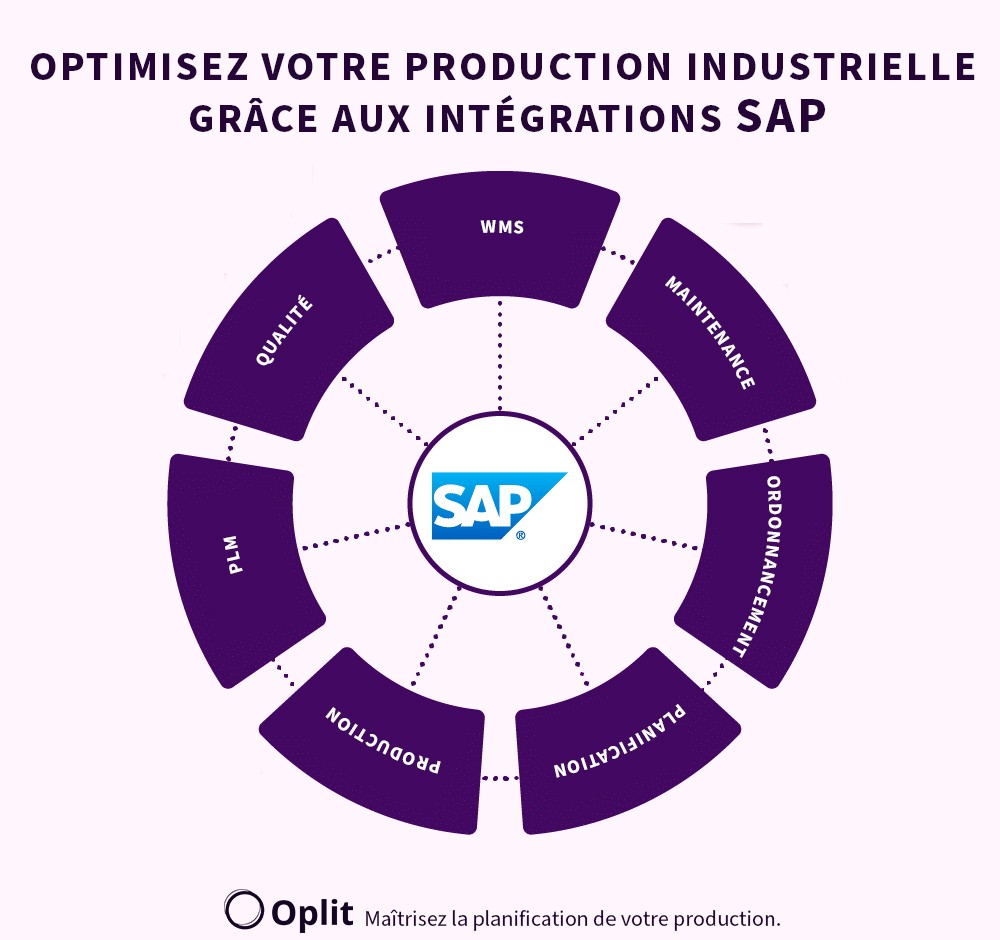
SAP dominates the ERP (Enterprise Resource Planning) market thanks to its robust architecture and its effective integration with industrial and financial processes. However, its planning module, while effective, has limitations when it comes to scheduling production with precision at a granular level. This article explores why and how a scheduling software like Oplit can transform your production chain by enabling smooth communication between strategic planning and execution on the ground.
SAP is an essential player in the ERP field, with a market share of 21.6% in the global industrial sector according to a Gartner study (2022). Manufacturers favor SAP for its ability to centralize data, harmonize processes, and establish connections between financial management and production operations.
SAP, a powerful ERP but limited for scheduling
SAP is a complete solution for enterprise management, but its planning features have certain constraints when it comes to scheduling production effectively:
1. Ergonomics that could be improved for the shop floor
SAP PP/DS focuses on high-level planning (global resources, capacity management, etc.). However, it often lacks the ergonomics to transmit precise instructions to the operators on the ground.
2. A lack of operational granularity
SAP generally structures resource planning around work centers, which represent global production units. However, this approach can prove insufficient for the needs of the shop floor, where finer resource management is necessary.
In practice, it is not enough to know that an operation must be carried out at a specific work center. It is crucial to answer more detailed operational questions, such as:
On which specific machine must this operation be carried out?
Some machines offer different performance depending on the product types or the settings required, directly influencing quality and production time.Which operator is the most qualified or available to carry out this task?
In an industrial environment, managing operator skills and availability is essential to ensure effective scheduling and avoid bottlenecks.
Without this granularity, the production teams often have to manually adjust the schedule on the shop floor, leading to wasted time and a lack of visibility into the actual execution of operations. A scheduling software integrated with SAP makes it possible to overcome this limitation by dynamically assigning each task to the appropriate machine and operator, according to the production constraints and the contingencies on the ground.
3. Difficulty running simulations, validating objectives, and tracking their execution
SAP excels at drawing up a master plan, allowing companies to structure their production at a strategic level. However, when it comes to adapting this plan to the realities on the ground, challenges appear, particularly regarding simulation, objective validation, and execution tracking.
In a production environment, data evolves constantly: supplier lead times can fluctuate, machines can break down, and operator availability can change. An ERP like SAP, while effective at consolidating and structuring information, struggles to react in real time to these variations.
The main limitations encountered are:
Difficulty performing dynamic simulations: With SAP, generating alternative scenarios to test different schedules is often cumbersome and rigid. Yet the ability to simulate several options is essential to anticipate constraints and make informed decisions.
Complex validation of production objectives: SAP offers an overview of the objectives but does not always make it easy to adjust them dynamically according to the real conditions of the shop floor. This complicates rapid adaptation to the unexpected.
Limited execution tracking: Once the plan is deployed, SAP offers little granular visibility into the actual progress of tasks. It is often necessary to wait for end-of-day consolidations or manual information feedback, thereby delaying the necessary adjustments.
In this context, an integrated scheduling software makes it possible to fill these gaps by ensuring real-time synchronization with operations. It allows manufacturers to quickly simulate different scenarios, adapt objectives according to production constraints, and ensure precise tracking of each step of the process.
The benefits of a scheduling software integrated with SAP
A scheduling software integrated with SAP resolves these gaps by offering advanced features. Here is how it complements SAP to optimize your production:
1. Real-time communication via real-time APIs
Modern scheduling software, like Oplit, enables real-time synchronization with SAP thanks to real-time APIs. With this, only the modified data is communicated between the systems, whereas before, a consolidated version of all the information was sent by batch at a fixed time.
2. Granular scheduling
These tools go down to the level of operators and machines, allowing better task assignment and fine visibility into execution.
Advantages:
Optimization of resource use.
Reduction of downtime.
3. Improved plan adherence
The best scheduling software provides monitoring dashboards that make it possible to compare, in real time, the progress of tasks against the planned schedule.
4. An intuitive interface for the operational teams
Unlike SAP's often complex interface, scheduling software offers interfaces designed specifically for production managers and operators.
How do you choose the best scheduling software integrated with SAP?
1. Essential features
A high-performing scheduling software must include:
Advanced optimization algorithms to minimize resource conflicts.
SAP connectivity via standard APIs (RFC, IDocs).
Intuitive visualization of schedules in the form of interactive Gantt charts or intuitive interfaces dedicated to each work center.
2. Best available options
Here is an overview of the software commonly integrated with SAP and their characteristics:
Software / Strengths / Limitations:
Oplit — Strengths: AI, intuitive ergonomics, granular shop-floor view. Limitations: less well known than its competitors.
Ortems — Strengths: robust solution for advanced scheduling. Limitations: high cost.
Preactor — Strengths: suited to complex environments. Limitations: long implementation time.
Key steps to succeed in the integration with SAP
1. Process analysis
Start by identifying your current gaps in SAP. For example:
Define the areas of responsibility of each software and the sharing points for each piece of information?
Are there delays in transmitting the production plans to the shop floor?
Do your operators have the information they need to carry out the tasks effectively?
2. Setting up an event-based communication API
An API makes it possible to integrate the scheduling software with SAP smoothly, avoiding massive data transfers.
3. Team training
To guarantee the success of the integration, invest in training your teams on the use of the scheduling software and its interaction with SAP.
4. Continuous monitoring and optimization
Once the integration is done, regularly analyze the key performance indicators (KPIs) to identify areas for improvement.
Why choose Oplit as your SAP scheduling software?
1. Simplified integration with SAP
Oplit uses event-based APIs for smooth synchronization with SAP, which minimizes downtime and optimizes data management.
2. Advanced features for the shop floor
Unlike SAP, Oplit allows precise assignment of tasks to each operator or machine.
3. Proven expertise
Many companies using SAP have chosen Oplit to improve their scheduling and execution tracking.
The integration of a SAP scheduling software is an essential solution for any company seeking to optimize its industrial processes. Although SAP is a powerful solution for planning, its limitations in granular scheduling and communication with the shop floor call for a complementary approach. With tools like Oplit, you can transform your production chain by improving responsiveness, granularity, and overall efficiency.
If you want to take your production to the next level, don't wait any longer to explore how Oplit can integrate perfectly into your SAP environment.